Section C · Install notes
Installing ACE333 on iPhone, Android or a Windows PC
ACE333 came as an iPhone build, an Android APK and a Windows file. Here is how each install goes, and why you should get the link from your provider.

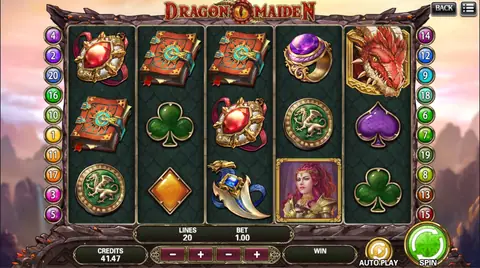
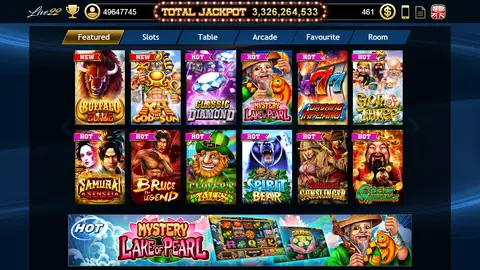
The ACE333 app has always leaned on gold: a crown logo, a gold-framed login screen and a lobby of cabinet-style slot machines. Getting it onto a device is less glamorous. It does not come from an app store, so you install a file by hand and log in with a user ID and password from whoever runs your account.
Three builds on the old page
Back in 2018 this page had three buttons: an iOS version, an Android APK and a Windows exe. That Windows file is the unusual one. Most of the apps covered on this site are phone-only, and the same old page, a few paragraphs further down, contradicted itself by saying ACE333 was mobile-only and suggesting an Android emulator (it named NoxPlayer and BlueStacks) for playing on a PC.
Both routes existed at different times. If you want to play on a computer, ask your provider which one they currently support rather than hunting for an old exe.
Why there is no download button here
Every file on the old page was hosted on 918.credit itself. We have taken them down. The builds change often, iPhone builds die whenever their certificate is pulled, and an executable file that has been sitting on the web for years is exactly the kind of thing you should never run.
The safe version is simple: ask for the current ACE333 app link from the same place that gives you your ID, and install nothing else.
The iPhone trust prompt
ACE333 for iPhone is signed with an enterprise certificate. In the old screenshots that certificate reads "iPhone Distribution: luvviz retail services private limited", a name with no connection to the game itself. It changes when the certificate is replaced.
Until you trust that developer, tapping the icon only brings up the "Untrusted Enterprise Developer" box. Go to Settings, then General, then VPN & Device Management (just Device Management on older iOS). The developer sits under Enterprise App.
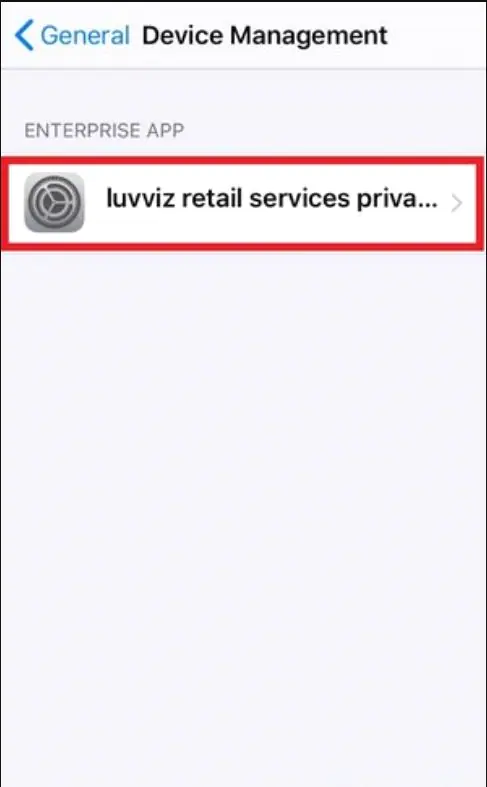
Open it and tap the blue Trust line. iOS asks a second time, with a warning that trusting lets any app from this developer run and may allow access to your data.
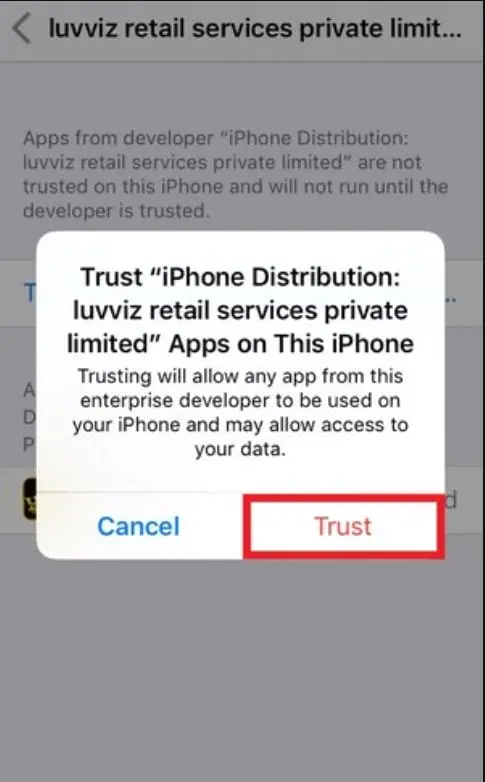
That warning is accurate, which is another reason to trust only a developer whose build came from your own provider. Once you tap Trust, the ACE333 entry shows as Verified and the app opens.
If a working app suddenly refuses to launch weeks later, Apple has most likely revoked the certificate. Delete it and install a new build. Your balance lives on the server, not in the app.
Android and Windows
On Android, open the link, download the APK and tap it. The phone asks you to allow installs from your browser or file manager; allow it for this install, then switch it back off in the same settings screen.
For Windows, treat any exe with extra care. Scan it before you run it and never let it ask for administrator rights you cannot explain.
What you land on
After login you get the lobby, and the page's old pride was the fishing game, which runs as a single-player table: one cannon, yours, with no other players firing across the screen.
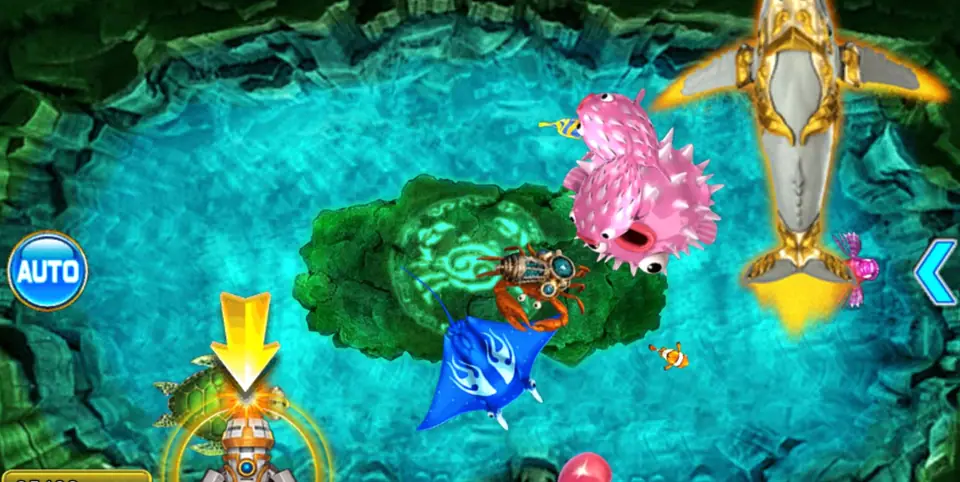
That makes it calmer to follow where your shots go, but every shot still spends credit. For what else is in the lobby and how ACE333 credit works, see the ACE333 platform page. Other apps are listed under downloads.
Online gambling is restricted in Malaysia and apps like this are unregulated. Adults only; keep top-ups to what you can lose.
Questions readers ask
Can I play ACE333 on a laptop?
The old page listed a Windows file, and also suggested running the Android version in an emulator. Either way, the file has to come from your account provider, and it only works with an ID they issued.
The ACE333 icon is on my iPhone but it will not open. What now?
If you have never trusted the developer, do that in Settings. If it used to work and suddenly stopped, the certificate was probably revoked; install a fresh build.
18+ only. Real-money games; online gambling is restricted in Malaysia. Never top up money you need, and stop if it stops being fun. Responsible gaming.